Fahniz — A Complete CRM and Mini-ERP "Nizam" for Your Business
Bring order to chaos: Fahniz delivers a unified CRM + ERP system so your business runs smoothly, with streamlined customer management, sales tracking, and core operations — all under one roof.
A Unified, Systematic Nizam — CRM + Mini-ERP in One
Leads and customer interactions scattered across different channels (spreadsheets, WhatsApp, manual records). No unified system to track sales, follow-ups, customer data, and operations. Lack of transparency and coordination among team members. Manual processes causing inefficiency, data duplication and errors. Difficult to scale operations as business grows due to fragmented workflows.
How we solve it
A Unified, Systematic Nizam — CRM + Mini-ERP in One
Fahniz consolidates customer data, leads, sales flow, and operations into a single platform. It provides a unified interface to manage contacts, deals, follow-ups, and business operations — enabling teams to coordinate seamlessly, reduce manual work, and keep accurate records.
Centralized customer and lead database. Sales tracking and follow-up management. Unified dashboard for operations and sales oversight. Scalable for growing business needs.
CRM Implementation
Full CRM module to manage customers, leads, contacts, and follow-ups.
Sales & Deal Management
Track deals from lead to closure, manage sales process inside system.
Mini-ERP Operations
Basic operations handling to support business workflows beyond CRM.
Data Centralization
Consolidate scattered data sources into a structured database system.
Workflow Simplification
Replace manual processes and spreadsheets with a systematic workflow.
Business Scalability Support
Provide a scalable platform that can grow with business demands.
Tech Stack




Project Process
Defined what a mini-ERP + CRM should offer: customer and leads management, sales pipeline, and ERP features depending on business needs. Mapped out core modules (CRM, ERP-related modules) and user roles (admin, salesperson, etc.). Prioritised features to implement first — basic CRM/ERP functionality first, more advanced modules later.
Decided on appropriate backend and frontend technologies (Node.js, React.js, Tailwind CSS) and a database (MongoDB). Defined relations between data models to support workflows: a lead may convert to a customer, tasks linked to leads and customers, deals and opportunities tied to customers.
Designed schema and collections to support entities like users, contacts, customers, leads, opportunities, tasks, activities, and products. This ensures structured, queryable data from day one and supports all CRM-ERP workflows.
Applied modular design — splitting functionality into CRM module, ERP module, and shared modules. This improves maintainability and scalability. Defined API endpoints (backend ↔ frontend) to support data exchange, and separation between UI logic and business logic.
Designed user interfaces for dashboards, leads and customers list, forms for creating and updating data, and navigation. Implemented frontend code to render pages, handle user interactions, form submissions, and data tables — ensuring usability and smooth adoption.
Developed backend logic to process CRUD operations for users, customers, leads, tasks, and more. Handled authentication and authorization (user roles), data validation, and business workflows (e.g. lead → opportunity → customer).
Performed unit tests, integration tests, and data integrity checks to ensure each module works correctly and modules integrate smoothly. Fixed bugs, reviewed code, and validated data flows and user permissions.
Prepared production deployment — configured hosting, database setup, and environment configs. Deployed the application so the business team can start using it immediately.
Collected feedback from real use. Identified missing features or improvements (more ERP features, reporting, UI refinements). Planned future modules and extensions — potentially expanding the ERP side, adding integrations, and improving performance or scalability.
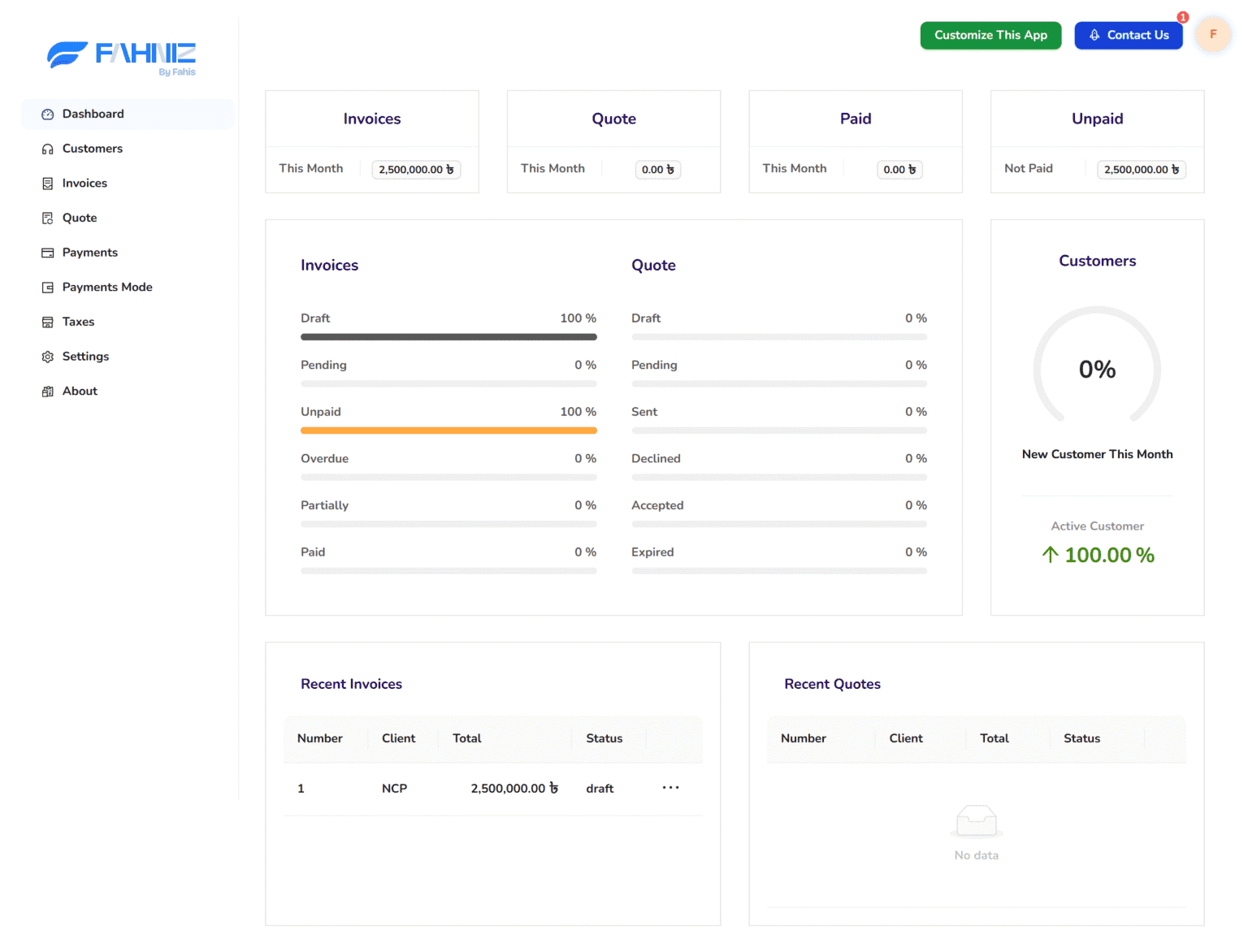
Dashboard Overview
A real-time summary of key business activities including invoices, revenue, clients, and recent operations. The dashboard presents a quick visual understanding of performance, pending tasks, and financial status so users can make better decisions without digging through records.
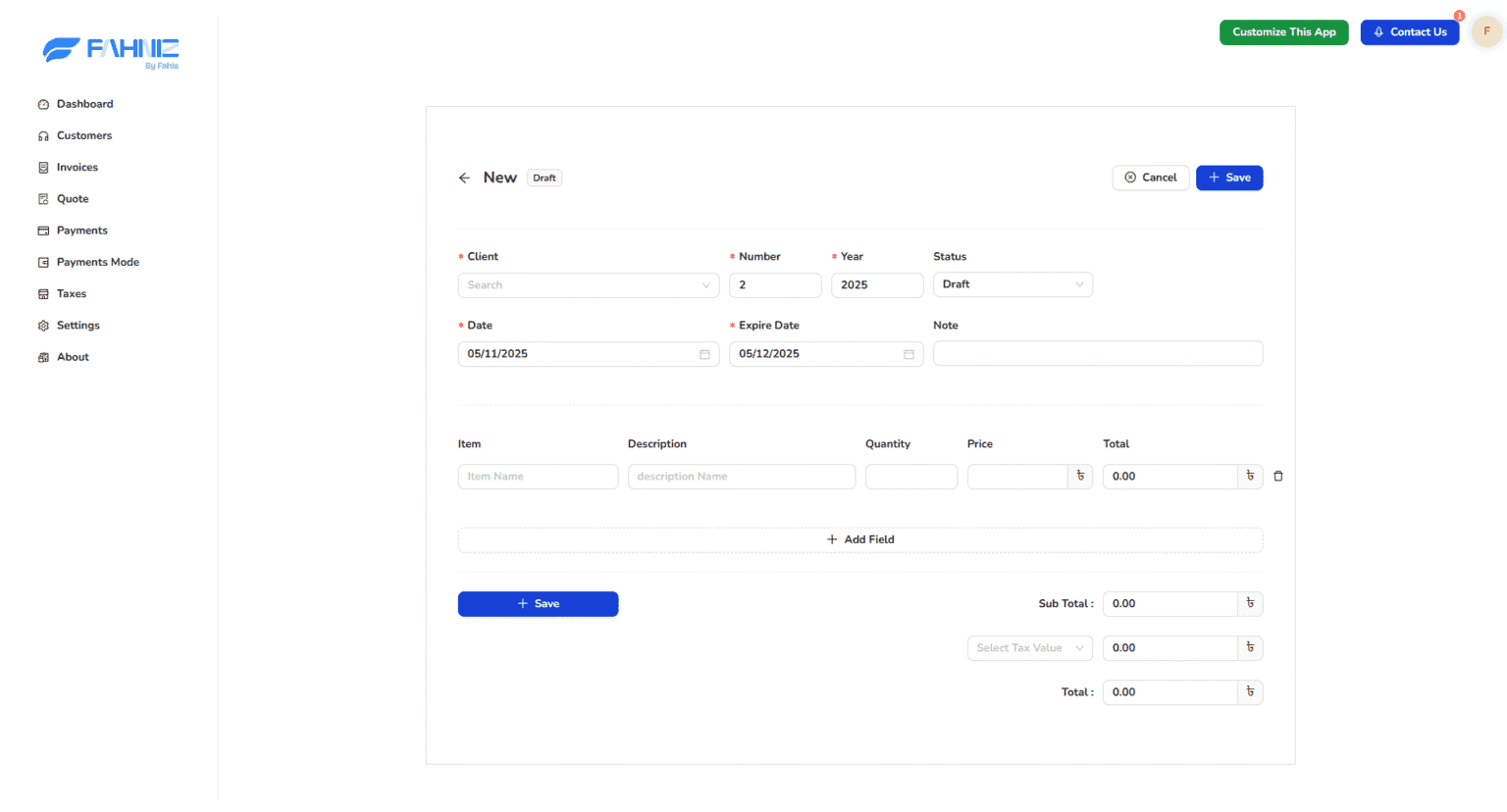
Invoice Management
Create, send, and manage invoices in a structured workflow. The system allows quick invoice generation with itemized details, due dates, tax calculations, and status tracking. Users can view all invoices, update payment status, and maintain a complete financial record.
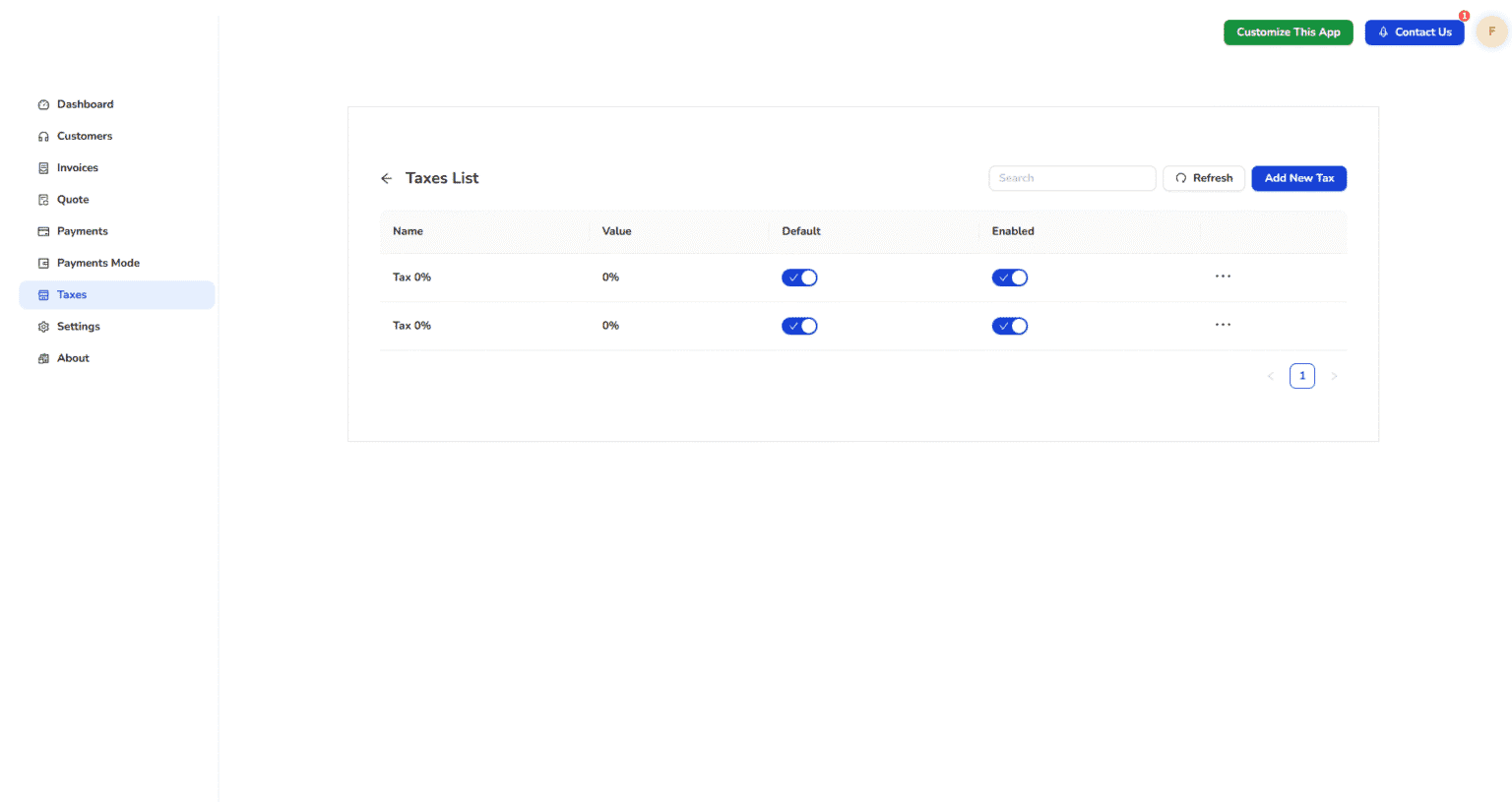
Tax Management
Centralized control for configuring and applying tax rules across invoices and services. Easily add tax types, set percentages, and ensure automatic calculation inside every billing document. This reduces manual errors and keeps financial transactions compliant.
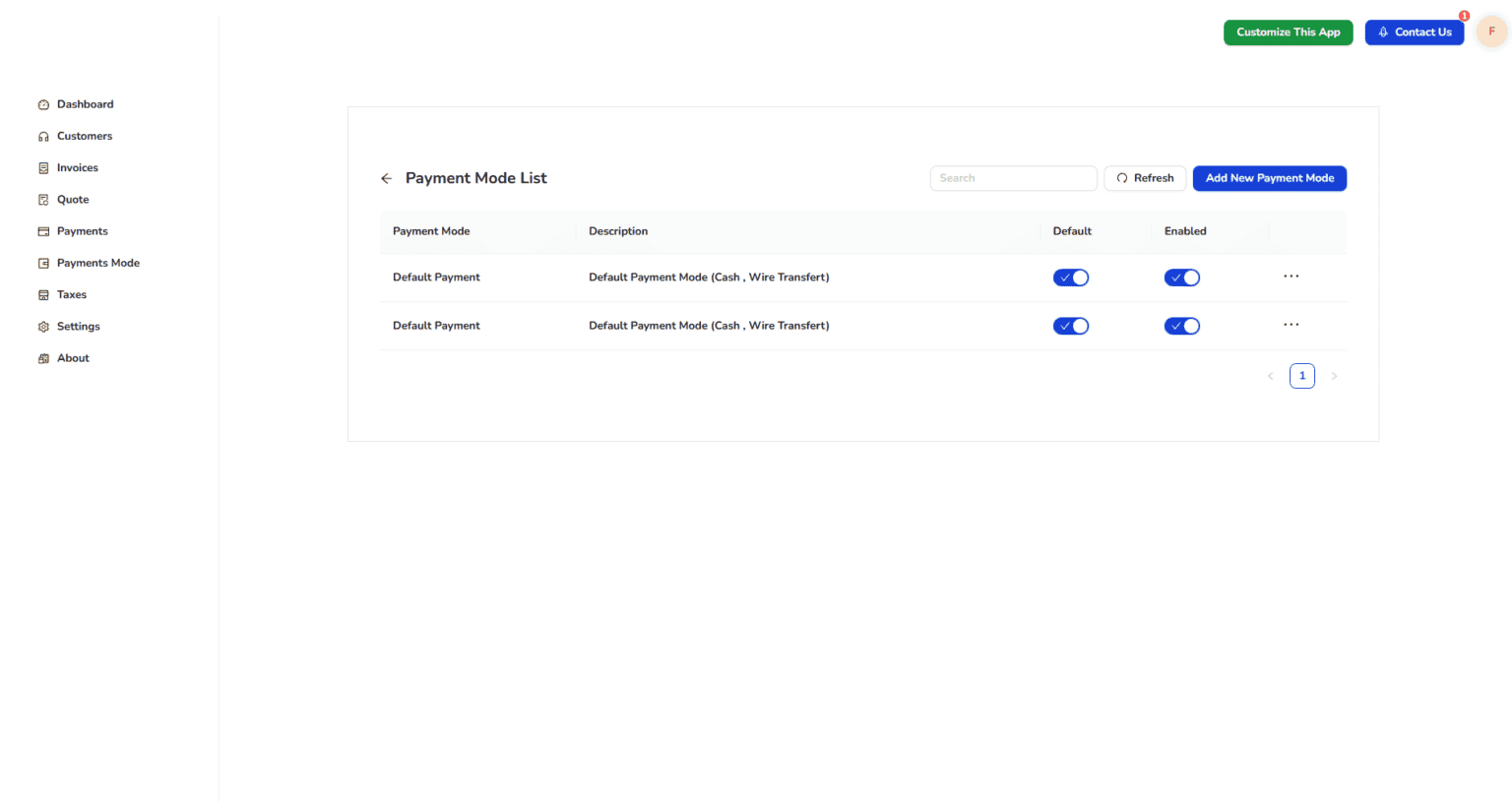
Payment Methods
Manage all accepted payment options in one place. Add or edit payment modes such as cash, bank transfer, mobile payments, or online gateways. Every invoice can be linked to a payment method, keeping the financial workflow organized and transparent.
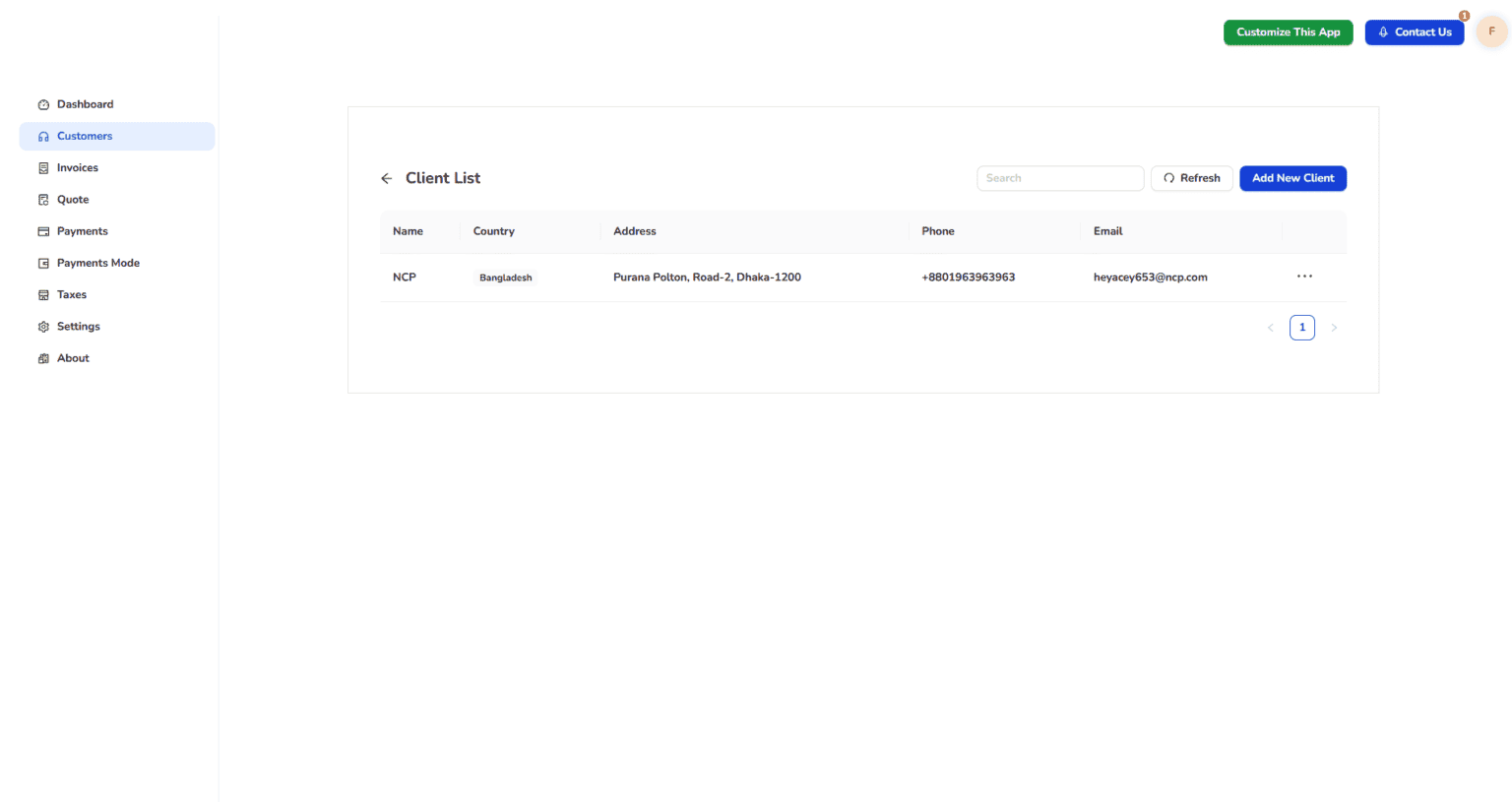
Clients List
A structured directory of all clients with full profile details, contact information, and transaction history. Users can add new clients, edit existing information, and view each client's invoices, dues, and interaction timeline.
Need something like this?
Your industry has the same problems.
We can fix them too.
Fahniz is one example of what we build. Book a free call and let's talk about what your business actually needs.