
INSURESO – Warranty Management App
INSURESO – A Complete Warranty Management System That Helps Users Never Lose a Warranty Again.
A Smart Warranty Management Platform
People buy many products every year, but almost nobody keeps warranty cards and receipts in one organized place. Documents get lost, photos get buried in the gallery, and expiry dates are quickly forgotten. When something breaks, users struggle to find proof of purchase or realize the warranty expired simply because there was no reminder. The process of making a claim becomes stressful and time-consuming, and most existing apps don't offer reliable cloud backup or proper multi-device access. This leaves users unprepared, frustrated, and often spending extra money on repairs that should have been covered. INSURESO was created to make warranty management effortless. After repeatedly losing our own receipts, we wanted a secure, cloud-backed tool where users can quickly store documents, track expiries, and access everything anytime. The goal was to remove stress and ensure no one loses a warranty again.
How we solve it
A Smart Warranty Management Platform
INSURESO centralizes all warranty records into a single, secure, cloud-powered dashboard. Users sign in with Google, upload receipts, track expiries, and manage claims — anytime, across all devices.
Smart reminders, cloud backup, and instant access to every warranty — organized and synced across platforms.
Cross-Platform App Development
Built the application using Flutter for iOS, Android, Web, Windows, and macOS.
Firebase Backend Integration
Implemented Firestore, Authentication, Cloud Storage, and secure data rules.
UI/UX Design
Designed clean, responsive screens following Material Design 3.
Cloud Storage Setup
Configured Firebase Storage for warranty images, receipts, and documents.
Secure Authentication
Google Sign-In, user isolation, and best-practice security implementation.
Image Handling
Added support for uploading warranty cards, product photos, and receipts.
Smart Notifications
Integrated reminder logic for warranty expiry notices.
Tech Stack





Project Process
We began by understanding a simple but common frustration: people lose receipts, forget expiry dates, and often miss warranty claims they're entitled to. To solve this, we mapped out every user interaction — from signing in, adding a product, uploading documents, tracking expiry, to submitting claims. This helped us define a clean app architecture, aligning data models, screens, platform targets, and the Firebase backend structure.
The goal was a smooth, stress-free experience for users who are not tech-savvy. We designed intuitive flows for adding products, viewing expiry status, uploading photos, and checking claims. The final design used Material Design 3 principles with consistent spacing, icons, and visual hierarchy. Each of the 9 main screens was prototyped for both mobile and web, ensuring responsiveness and readability.
This step involved bringing all backend systems to life. We configured Google Authentication, initialized Firestore collections, created storage buckets, and linked the Flutter app with FlutterFire. Security rules were crafted to ensure each user only sees and manages their own warranties. We also prepared firebase_options.dart for multi-platform support and ensured smooth CI-friendly setup.
We built the application with a strong focus on reliability and ease of use. Add Product captures warranty data, uploads photos, and auto-calculates expiry. Warranty Tracking monitors active, expiring soon, and expired items. Claim Submission provides a structured form for recording issues. Smart Notifications remind users before expiry. Cloud Sync delivers real-time Firestore updates across devices. Search & Filters let users find warranties instantly. Every feature was developed with clean, maintainable Flutter code using stateful logic where appropriate.
We implemented Google OAuth to keep onboarding fast and painless. Sessions were handled securely, ensuring data isolation by user ID. We verified token validation, linked user sessions with Firestore access rules, and tested cross-device login to guarantee a frictionless experience.
We performed multi-device testing across Android, iOS, and Web. This included ensuring fast image uploads, reducing data reads with query optimization, compressing images before upload, checking responsiveness at different screen sizes, and fixing edge cases in date calculations and expiry reminders. We polished the experience until the app felt fast, predictable, and smooth across all supported platforms.
For web, we handled both Firebase Hosting deployment and GitHub Pages support. On mobile, we prepared release builds for Android APK & App Bundle, and created the iOS release build structure. We delivered a ready-to-launch cross-platform app with a clear deployment guide so the client can update or publish future versions easily.
Welcome Screen
The Welcome Screen introduces the user to INSURESO with a clean, modern layout and a simple value promise: never lose a warranty again. It highlights key features and guides the user smoothly toward sign-in. The Google Sign-In button is placed prominently for quick access.
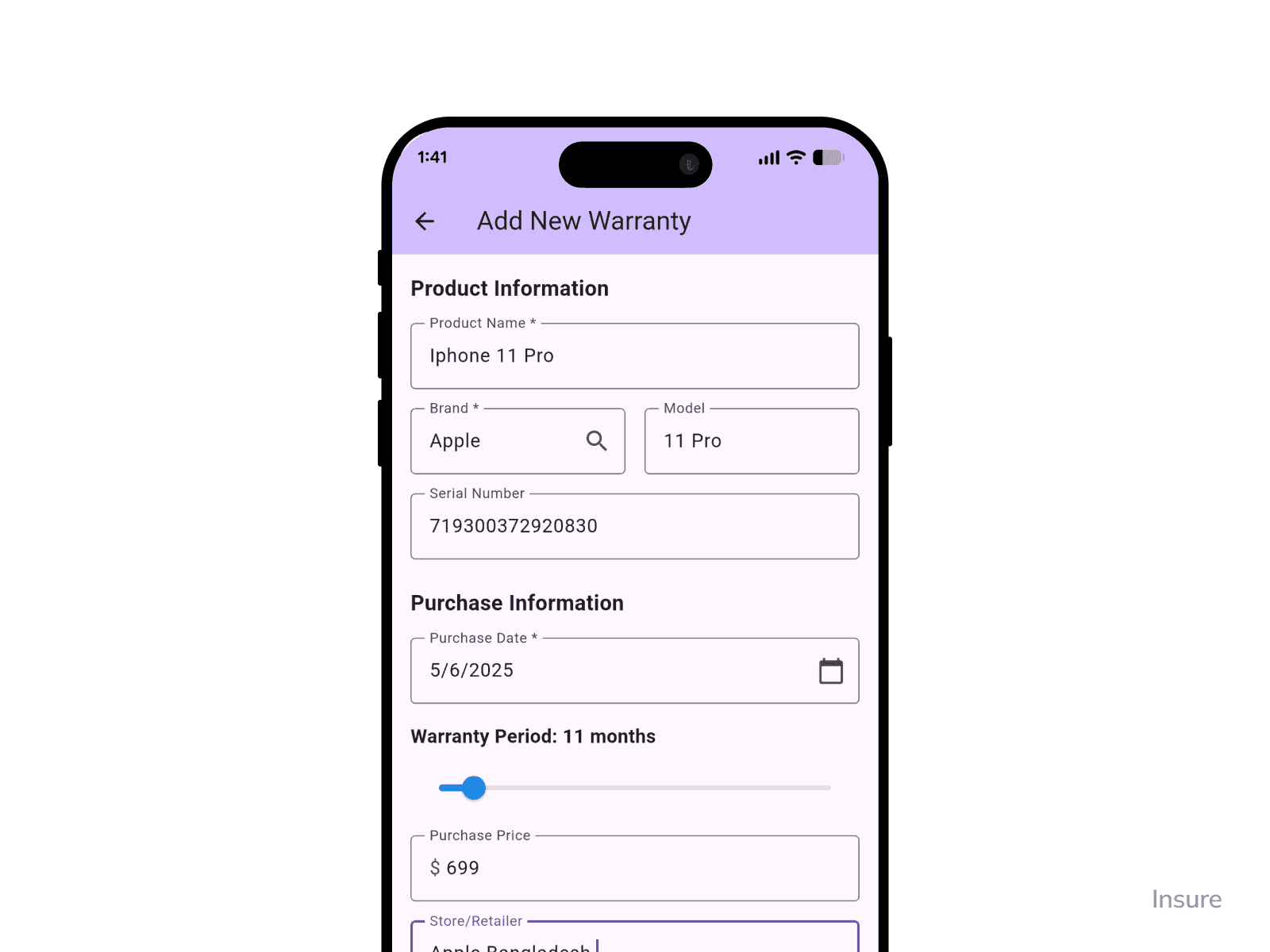
Add Product Screen
This screen allows users to enter all warranty information in an organized, step-by-step form. They can upload photos of receipts, warranty cards, and product images directly from their device. Expiry dates are calculated automatically based on purchase date and warranty duration.
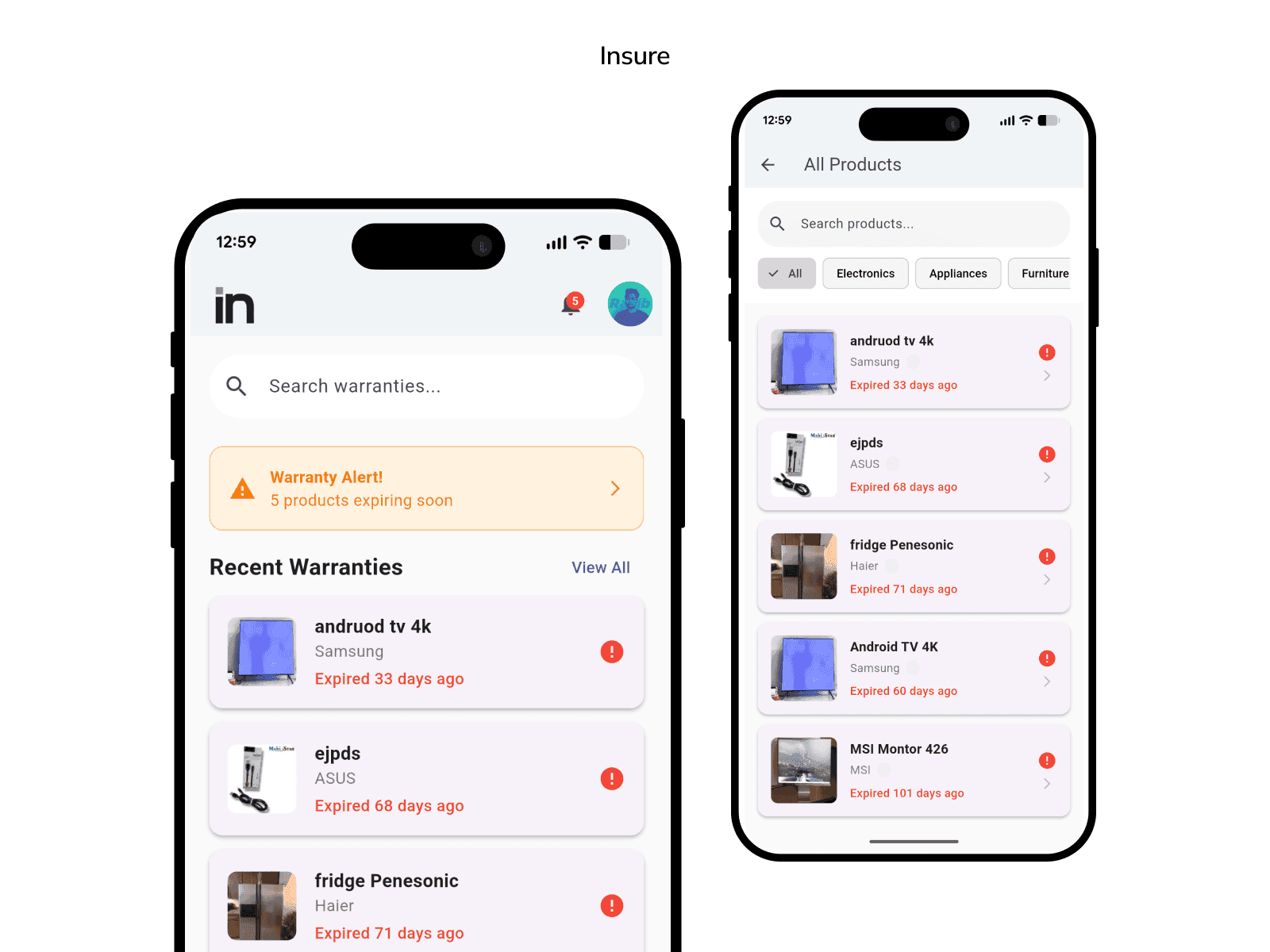
All Products Screen
A complete, scrollable list of all warranties stored by the user. Products are displayed with clean labels, thumbnails, and color-coded status indicators. Search and filter options help users quickly find any specific warranty.
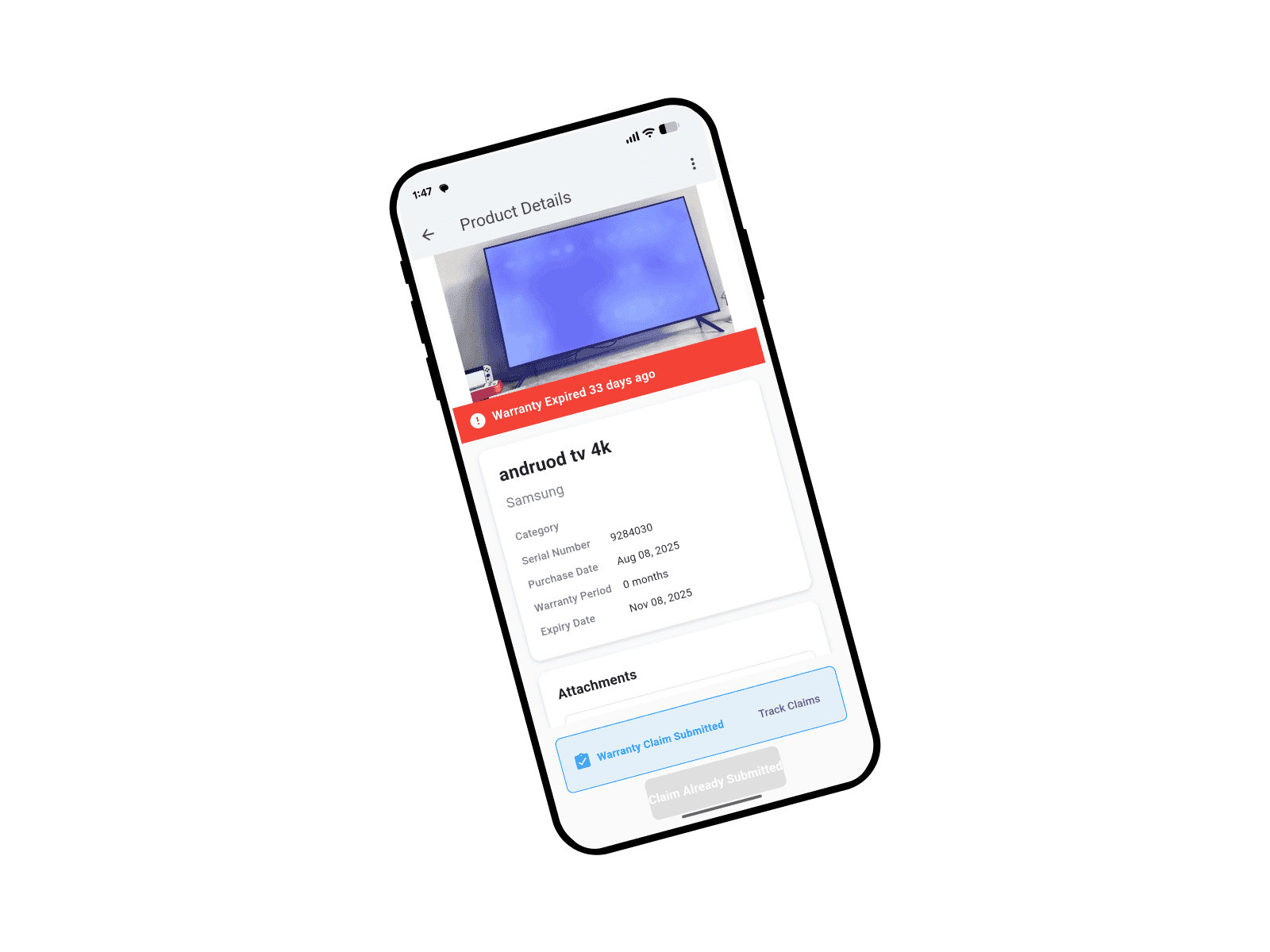
Product Details Screen
Users can see everything about their warranty in one place: product info, expiry timeline, uploaded documents, and status. High-quality previews make it easy to view receipts or warranty cards when needed.
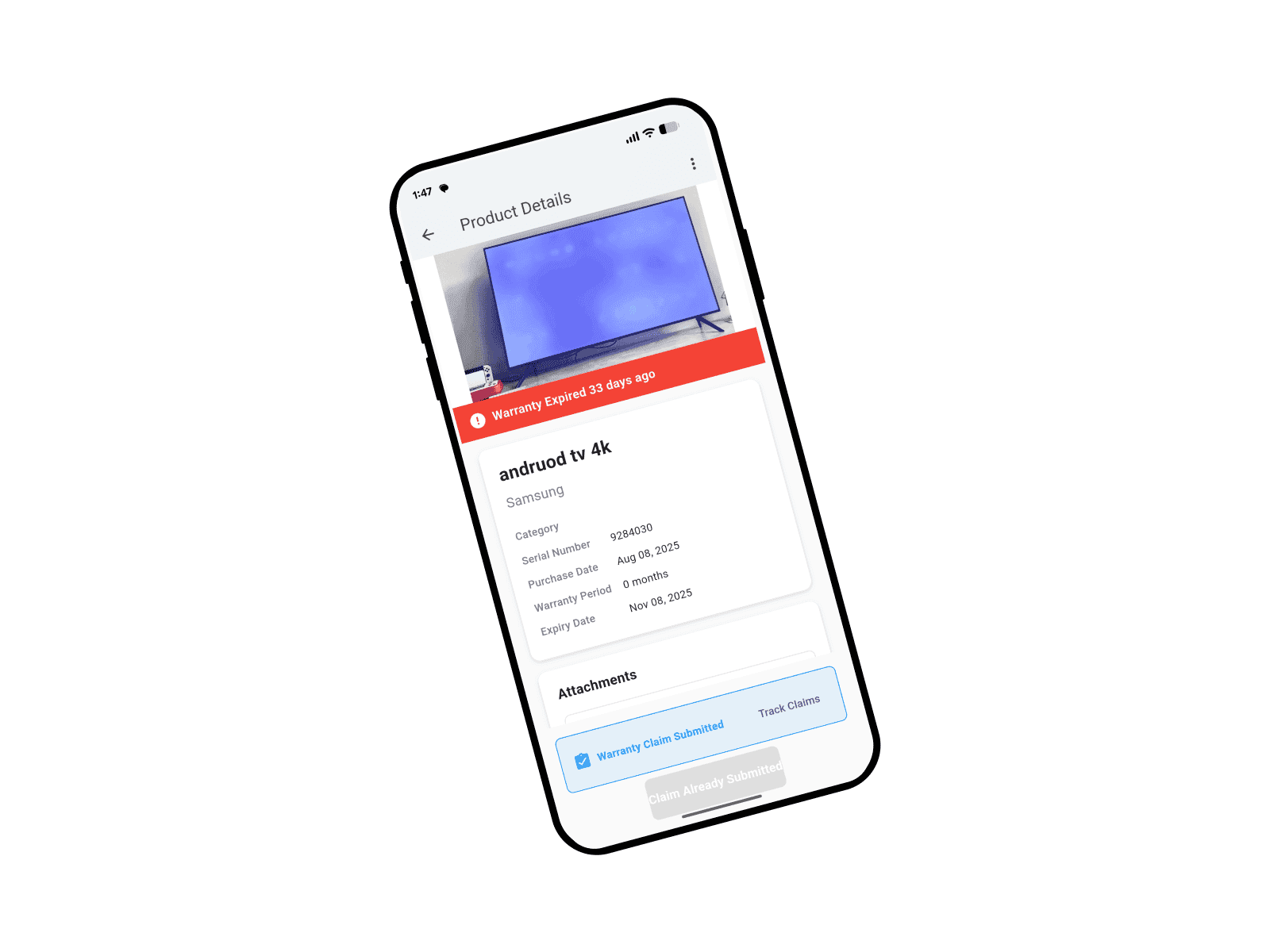
Claim Warranty Screen
This screen enables users to submit a warranty claim directly from the app. They can specify the issue, describe the problem, and attach relevant photos or documents. The flow is straightforward and keeps records neatly organized.
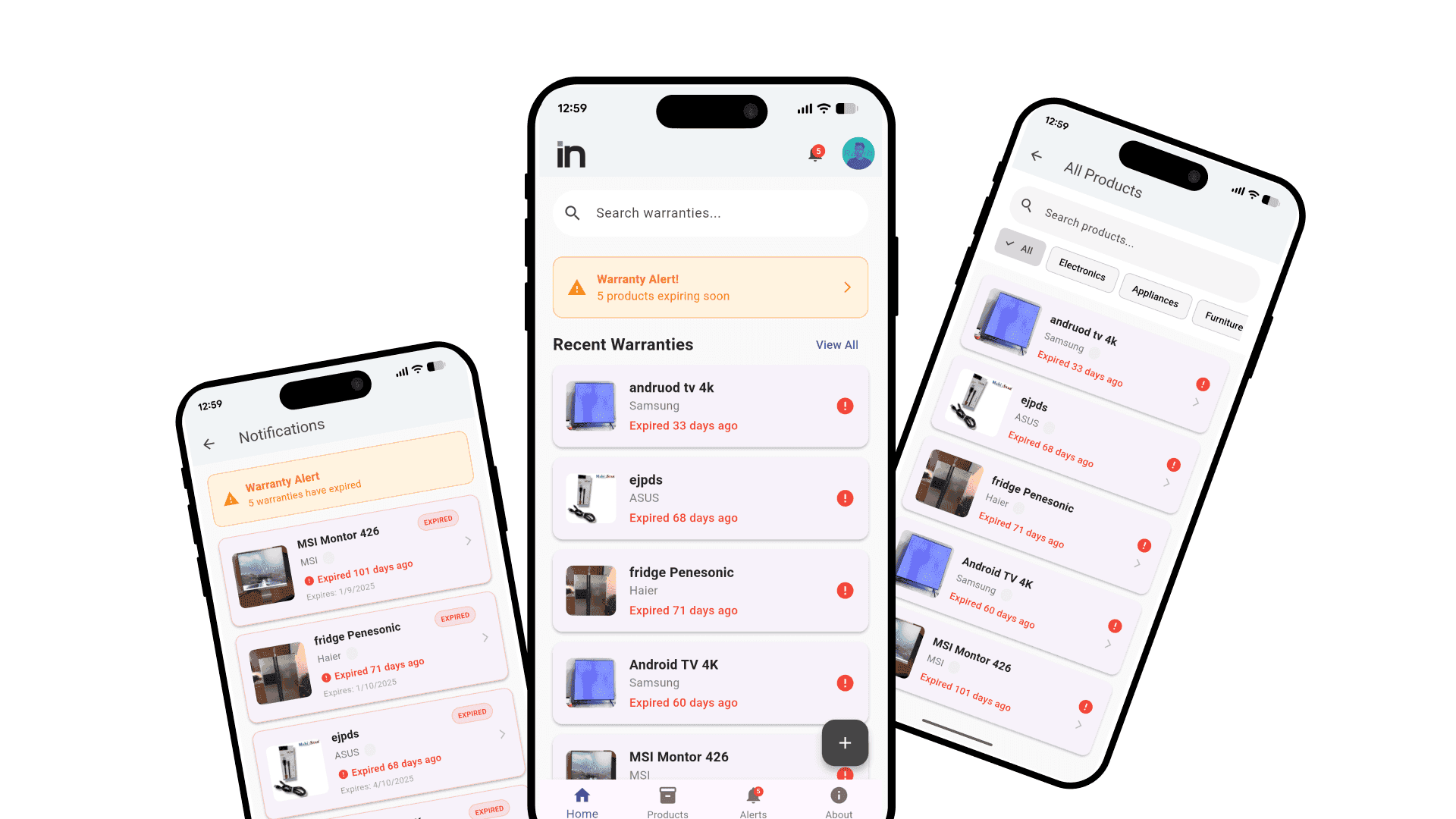
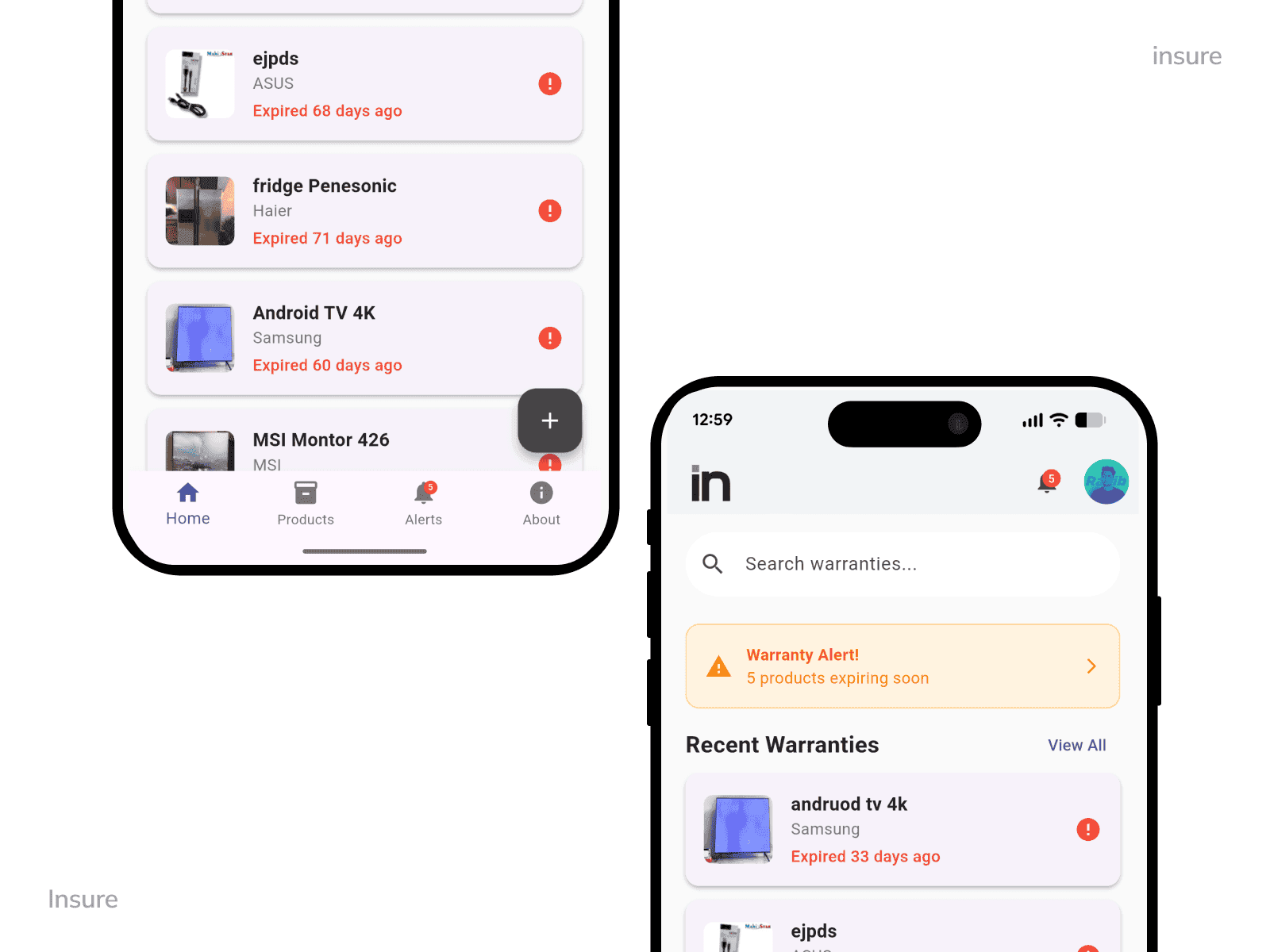
Dashboard Screen
The Dashboard gives an at-a-glance summary of all warranties. Users can instantly see active items, upcoming expiries, and expired warranties in a simple visual layout. Smart indicators and quick actions make navigation effortless.
Need something like this?
Your industry has the same problems.
We can fix them too.
INSURE is one example of what we build. Book a free call and let's talk about what your business actually needs.